# PhpMyAdmin常见操作
## [修改root密码](#701)
1. 登录PhpMyAdmin后,默认页面-常规设置,点击“修改密码”
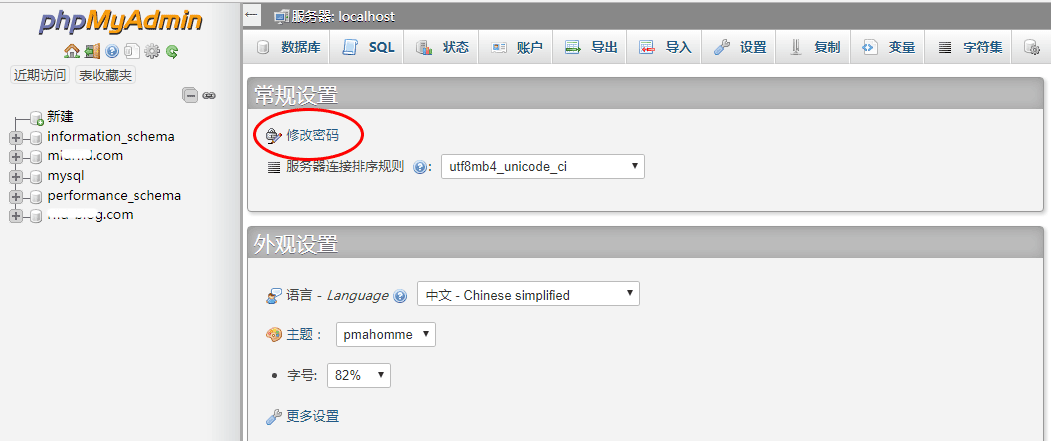
2. 修改密码->保存->退出登录,刷新浏览器后便可以使用新密码登录了
## [增加一个数据库](#702)
1. 登录PhpMyAdmin后,点击左侧菜单栏的“新建”,进入如下的数据库创建界面
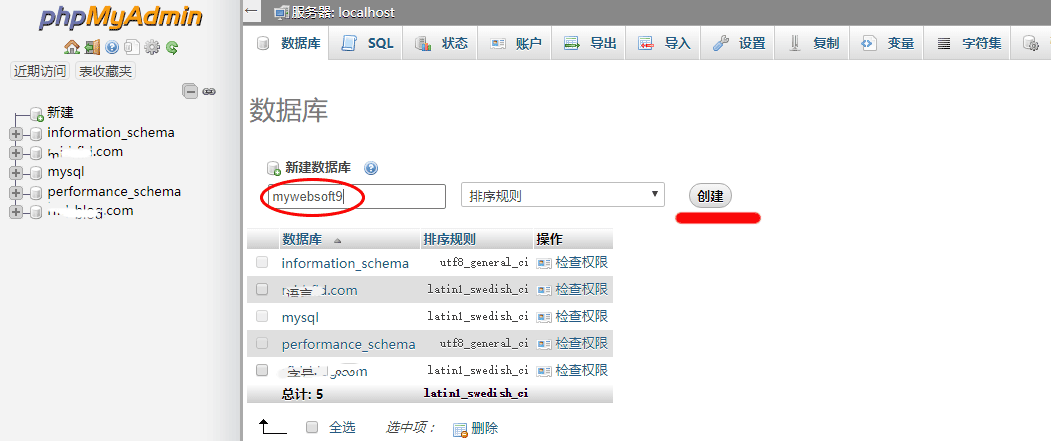
2. 填写数据库名->点击创建按钮,一个新的数据库变建立成功
3. 默认情况下,root拥有新建的数据库的全部权限
## [增加一个数据库用户](#703)
数据库用户与数据库是分离的,是“多对多”的关系。可以通过关联使得某个用户具有某个数据库的权限
1. 登录PhpMyAdmin后,点击左侧菜单栏中新打算对其新增用户的数据库(例如:mywebsoft9)
2. 点击顶部菜单栏的“权限”,找到“新增用户账户”,如下新增用户界面
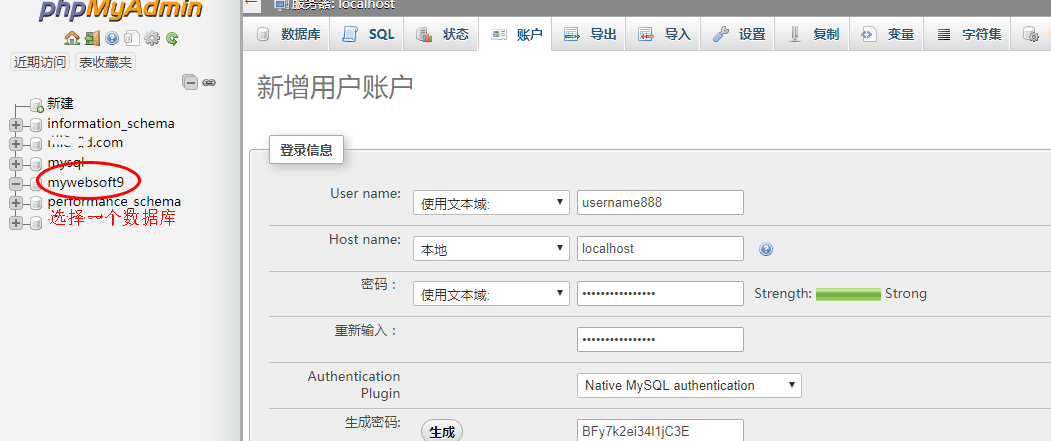
3. 根据上图填写用户名、主机地址和密码,然后关联对应的数据库和勾选权限设置
4. 点击“执行”,就完成新增用户和数据库关联了
说明:也可以登录PhpMyAdmin的默认页面后,点击顶部菜单上“账户”,对用户和权限进行管理
## [数据库导入和导出](#704)
导出即备份数据库,导入即恢复数据库。这个两个操作对PhpMyAdmin来说比较简单,具体如下:
1. 登录PhpMyadmin后,选择您需要操作的数据库后,点击顶部菜单栏的“导出”
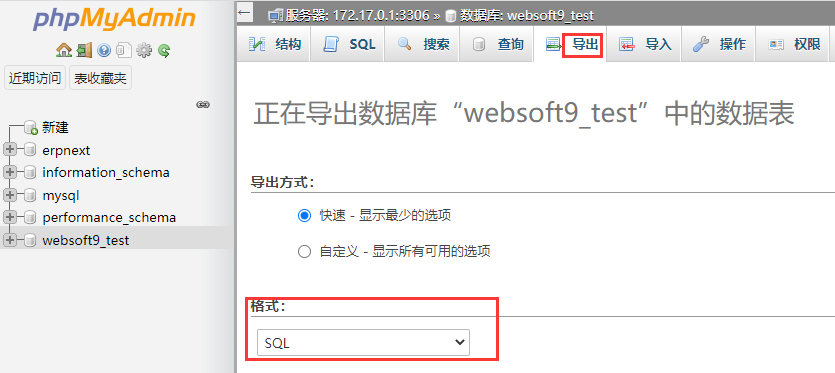
2. 选择导出方式(默认为“快速”)和格式(默认为“SQL”),点击“执行”按钮
3. 数据库备份文件(.sql后缀)生成后,保存到本地完成导出工具
4. 恢复数据库,对应的是“导入”操作,具体参考下图
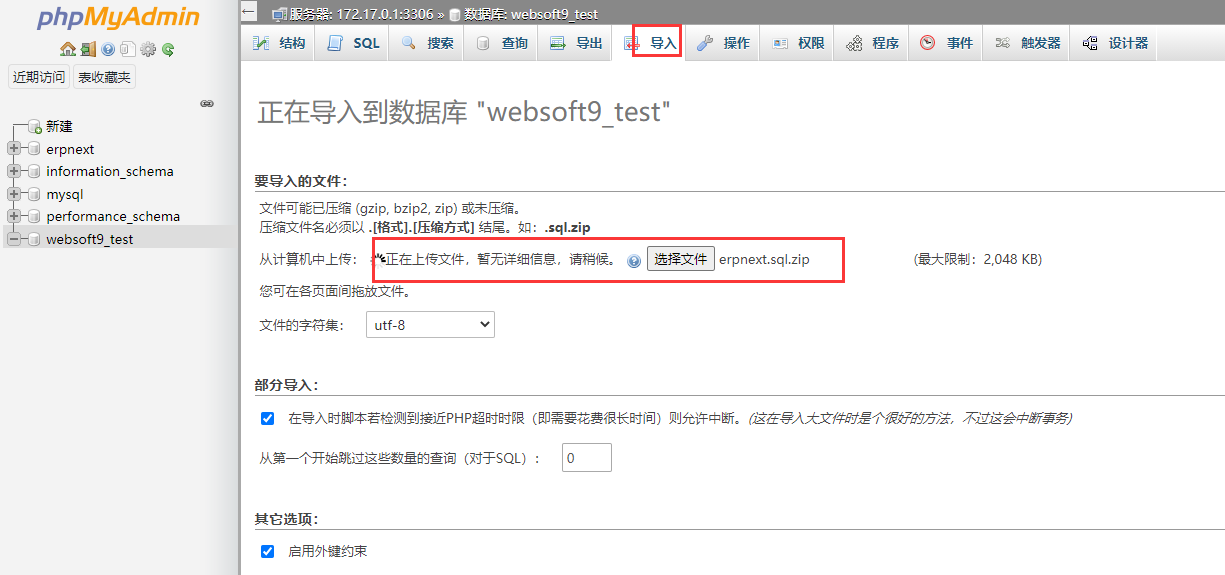
5. 导入文件特别要注意字符集兼容性
---
# Agent Instructions: Querying This Documentation
If you need additional information that is not directly available in this page, you can query the documentation dynamically by asking a question.
Perform an HTTP GET request on the current page URL with the `ask` query parameter:
```
GET https://websoft9.gitbook.io/mariadb-image-guide/mysqlmariadb-shi-yong-can-kao/phpmyadmin-chang-jian-cao-zuo.md?ask=
```
The question should be specific, self-contained, and written in natural language.
The response will contain a direct answer to the question and relevant excerpts and sources from the documentation.
Use this mechanism when the answer is not explicitly present in the current page, you need clarification or additional context, or you want to retrieve related documentation sections.